 CapDrive
Cảm nhận từng hành trình
Bảng đồng hồ mô-đun, HUD kính lái, dữ liệu OBD-II và phát lại hành trình tự động cho iPhone.
Tải trên App Store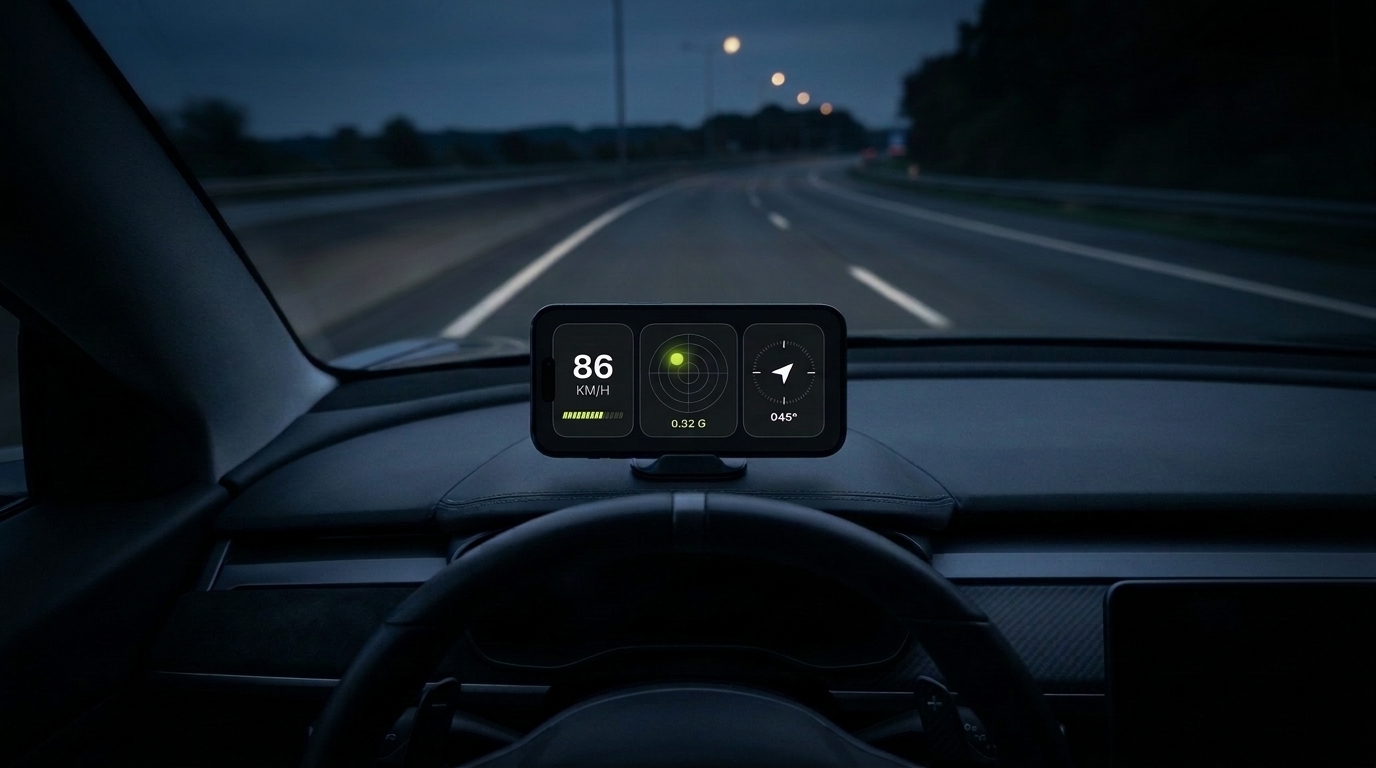
Bảng đồng hồ mô-đun
Sắp xếp tối đa ba thẻ đồng hồ mỗi trang ở chế độ dọc hoặc ngang. Tự nhận hướng gắn khi lái mà không cần bấm bắt đầu.
-
Tốc độ số
-
Tốc độ vòng cung
-
Đĩa lực G
-
Thanh lực G
-
La bàn hướng
-
Sự kiện lái
-
Tư thế xe
-
Độ cao
-
Tóm tắt chuyến
Sự kiện lái, đo 0–100 & chấm điểm
Tự động nhận diện tăng tốc, phanh, vào cua, drift và đề-pa mạnh kèm đỉnh G, thời gian 0–100 / 100–200 km/h và điểm lái 0–100.
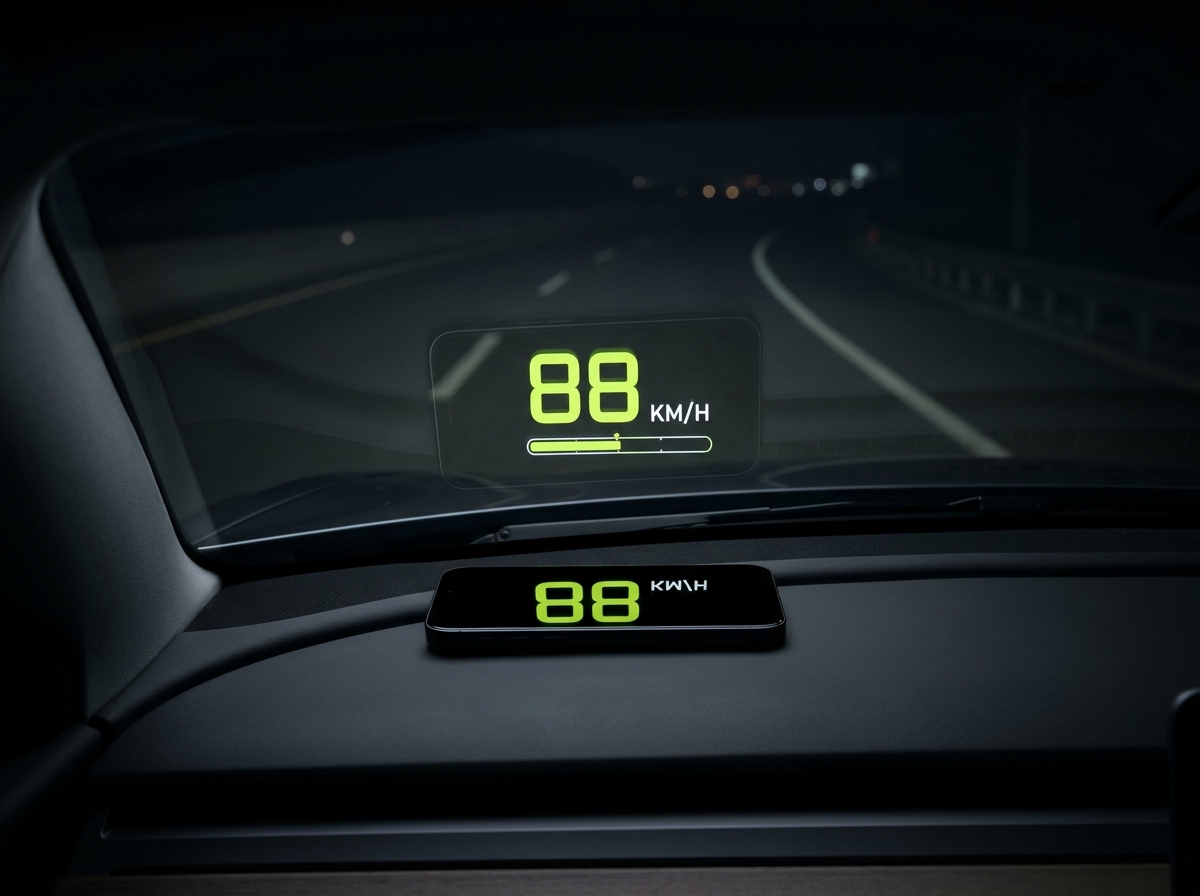
Chế độ HUD kính lái
Chuyển sang màn hình đen thuần phản chiếu chỉ với một chạm để hiển thị lên kính lái, hỗ trợ độ sáng tối đa và tăng cường HDR.
BLE OBD-II & đồng hồ JS/JSX tùy biến
Kết nối bộ ELM327 BLE tương thích để xem vòng tua, nhiệt độ nước và dầu. Tự viết hoặc nhập tệp .instrument bằng JavaScript và JSX.
Phát lại tự động & thẻ chia sẻ
Ghi nền với nút dừng nhanh ở Live Activity. Xem lại lộ trình và sự kiện cục bộ, chia sẻ thẻ hành trình hoặc xuất GPX, KML, GeoJSON.
Câu hỏi thường gặp
Does CapDrive require an OBD-II adapter or extra hardware?
No. Mount your iPhone securely in a car mount and allow Precise Location. CapDrive uses built-in GPS and motion sensors for live speed, G-force, heading, driving events, and 0–100 km/h timing. Optional ELM327 BLE OBD-II adapters are supported with CapDrive Plus.
How does Windshield HUD mode work?
Tap the display mode button to flip the dashboard vertically on a pure-black background and place your iPhone flat on the dashboard to reflect speed and G-force onto the windshield, with optional max brightness and HDR boost.
What is free, and what does CapDrive Plus unlock?
Core instrument cards, HUD mode, automatic trip recording, route replay, share cards, and GPX/KML/GeoJSON export are free. CapDrive Plus (monthly subscription or one-time Lifetime unlock) unlocks every instrument style, full replay details, BLE OBD-II telemetry, and custom JS/JSX instruments.
Does CapDrive require an account or upload my trips?
No manual account registration is required. Trips are processed and stored locally on your iPhone and are never uploaded automatically unless you explicitly choose to send a feedback report.
Which route formats and custom instruments are supported?
Saved trips export to standard GPX, KML, and GeoJSON files as well as stylized JPEG share cards. With Plus, you can write or import custom .instrument gauges using JavaScript and JSX.
Lái miễn phí. Nâng cấp Plus để mở rộng.
Đồng hồ cơ bản, HUD, ghi tự động, xem lại tuyến đường, thẻ chia sẻ và xuất GPX/KML/GeoJSON miễn phí không cần tài khoản. Plus mở khóa mọi kiểu thẻ, chi tiết phát lại, OBD-II và đồng hồ tùy biến.
Tải trên App Store