 CapDrive
Senti ogni guida
Cruscotto modulare, HUD sul parabrezza, telemetria OBD-II e replay automatico per iPhone.
Scarica su App Store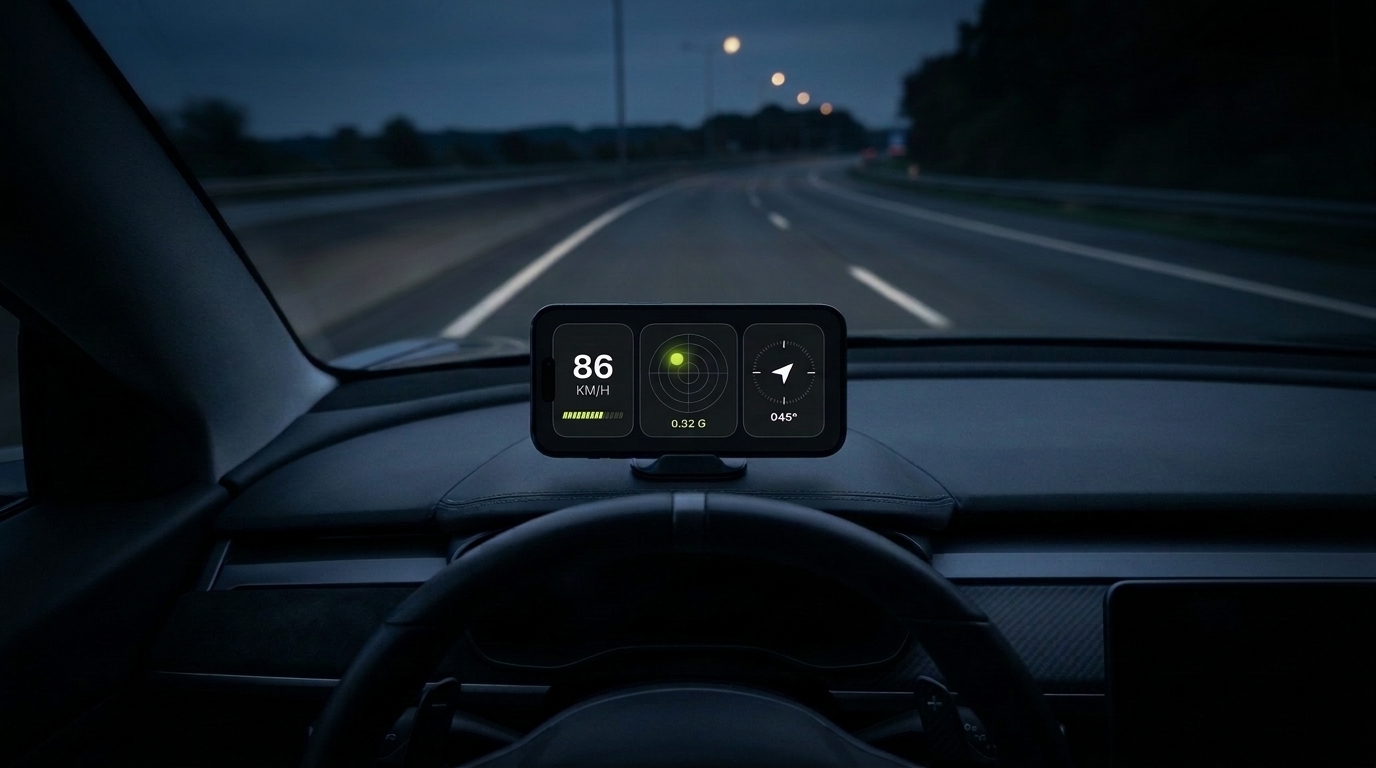
Cruscotto modulare
Disponi fino a tre schede per pagina in verticale o orizzontale. Riconosce l'orientamento guidando, senza tasto di avvio.
-
Velocità digitale
-
Arco velocità
-
Disco G
-
Barre G
-
Bussola
-
Eventi guida
-
Assetto
-
Altitudine
-
Riepilogo
Eventi, 0–100 e punteggi
Riconosce accelerazioni, frenate, curve, drift e partenze rapide con picco G, tempi 0–100 / 100–200 km/h e punteggio 0–100.
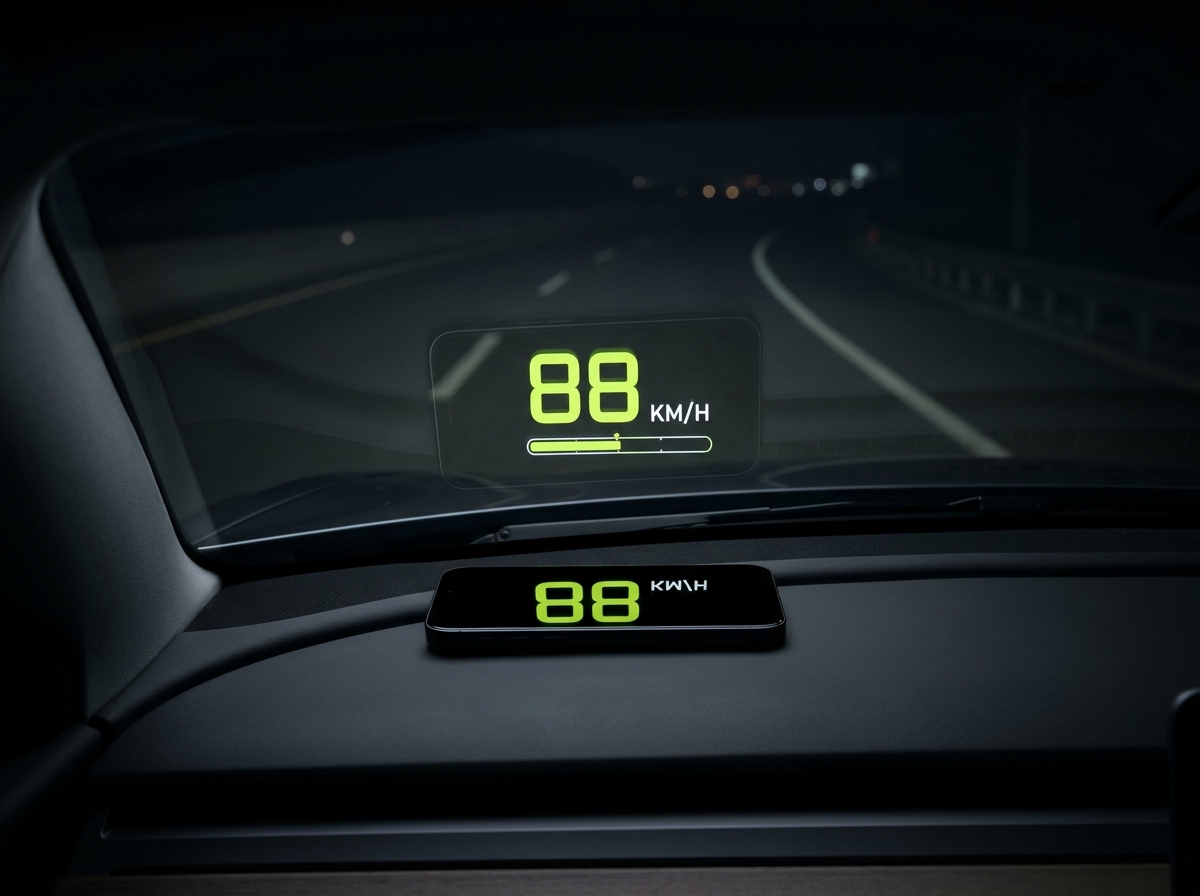
Modalità HUD parabrezza
Passa con un tocco al cruscotto specchiato su nero puro per riflettere i dati sul parabrezza, con luminosità massima e HDR opzionale.
OBD-II BLE e strumenti JS/JSX
Collega adattatori ELM327 BLE compatibili per giri motore, acqua e olio. Crea o importa strumenti .instrument in JavaScript e JSX.
Replay automatico e schede condivisibili
Registra in background con stop da Attività live. Rivedi percorsi ed eventi in locale, condividi schede o esporta in GPX, KML e GeoJSON.
Domande frequenti
Does CapDrive require an OBD-II adapter or extra hardware?
No. Mount your iPhone securely in a car mount and allow Precise Location. CapDrive uses built-in GPS and motion sensors for live speed, G-force, heading, driving events, and 0–100 km/h timing. Optional ELM327 BLE OBD-II adapters are supported with CapDrive Plus.
How does Windshield HUD mode work?
Tap the display mode button to flip the dashboard vertically on a pure-black background and place your iPhone flat on the dashboard to reflect speed and G-force onto the windshield, with optional max brightness and HDR boost.
What is free, and what does CapDrive Plus unlock?
Core instrument cards, HUD mode, automatic trip recording, route replay, share cards, and GPX/KML/GeoJSON export are free. CapDrive Plus (monthly subscription or one-time Lifetime unlock) unlocks every instrument style, full replay details, BLE OBD-II telemetry, and custom JS/JSX instruments.
Does CapDrive require an account or upload my trips?
No manual account registration is required. Trips are processed and stored locally on your iPhone and are never uploaded automatically unless you explicitly choose to send a feedback report.
Which route formats and custom instruments are supported?
Saved trips export to standard GPX, KML, and GeoJSON files as well as stylized JPEG share cards. With Plus, you can write or import custom .instrument gauges using JavaScript and JSX.
Gratis per guidare. Plus per andare oltre.
Strumenti base, HUD, registrazione automatica, replay del percorso, schede ed esportazione GPX/KML/GeoJSON gratis senza account. Plus sblocca tutti gli stili, dettagli di replay, OBD-II e strumenti personalizzati.
Scarica su App Store