 CapDrive
Feel every drive
Modular driving cockpit, windshield HUD, OBD-II telemetry, and automatic trip replay for iPhone.
Download on the App Store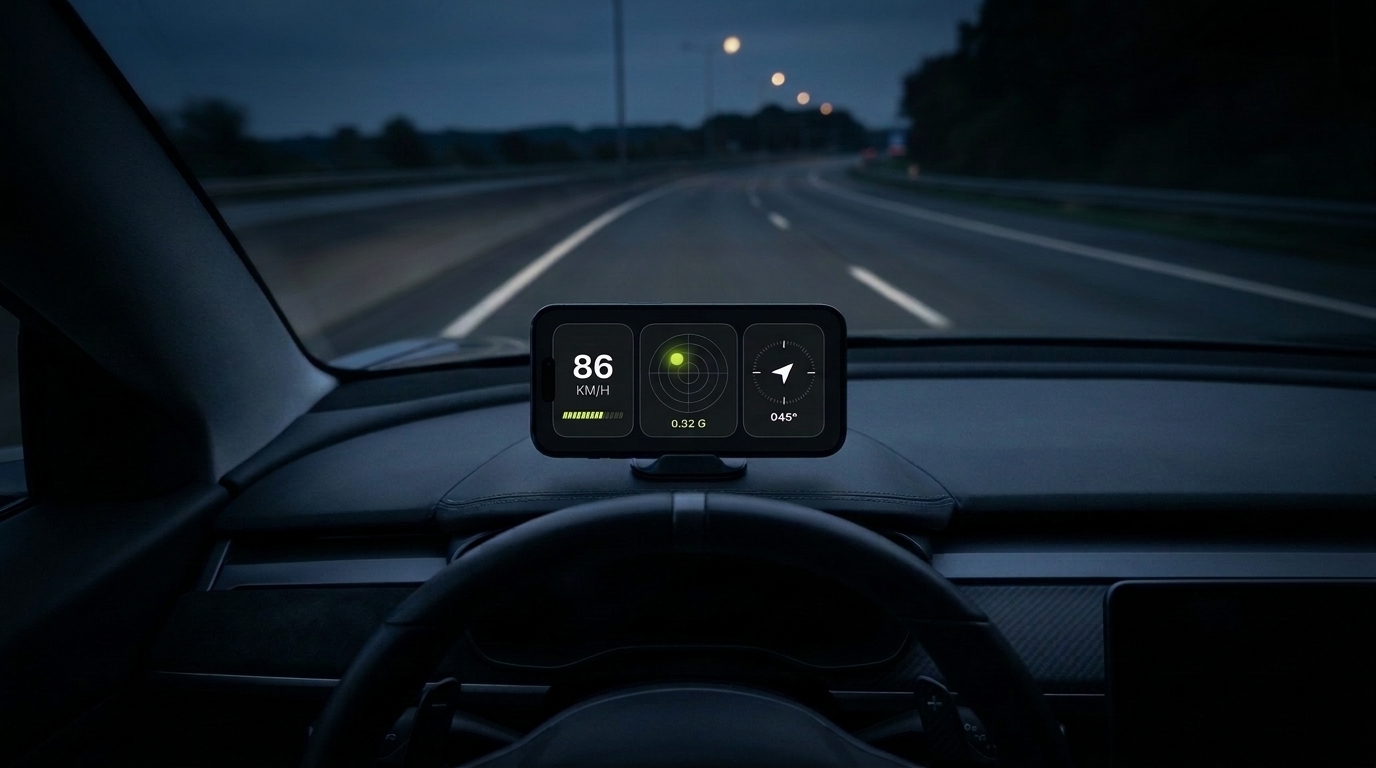
Modular instrument cockpit
Arrange up to three instrument cards per page across portrait or landscape. Auto-recognizes phone orientation as you drive—no start button needed.
-
Digital Speed
-
Speed Arc
-
G-Force Disc
-
G-Force Bars
-
Heading Compass
-
Driving Events
-
Vehicle Attitude
-
Altitude
-
Trip Summary
Events, 0–100 timing & scores
Automatically recognizes acceleration, braking, turns, drift, and hard launches—complete with peak G, 0–100 / 100–200 km/h timing, and 0–100 driving scores.
Windshield HUD mode
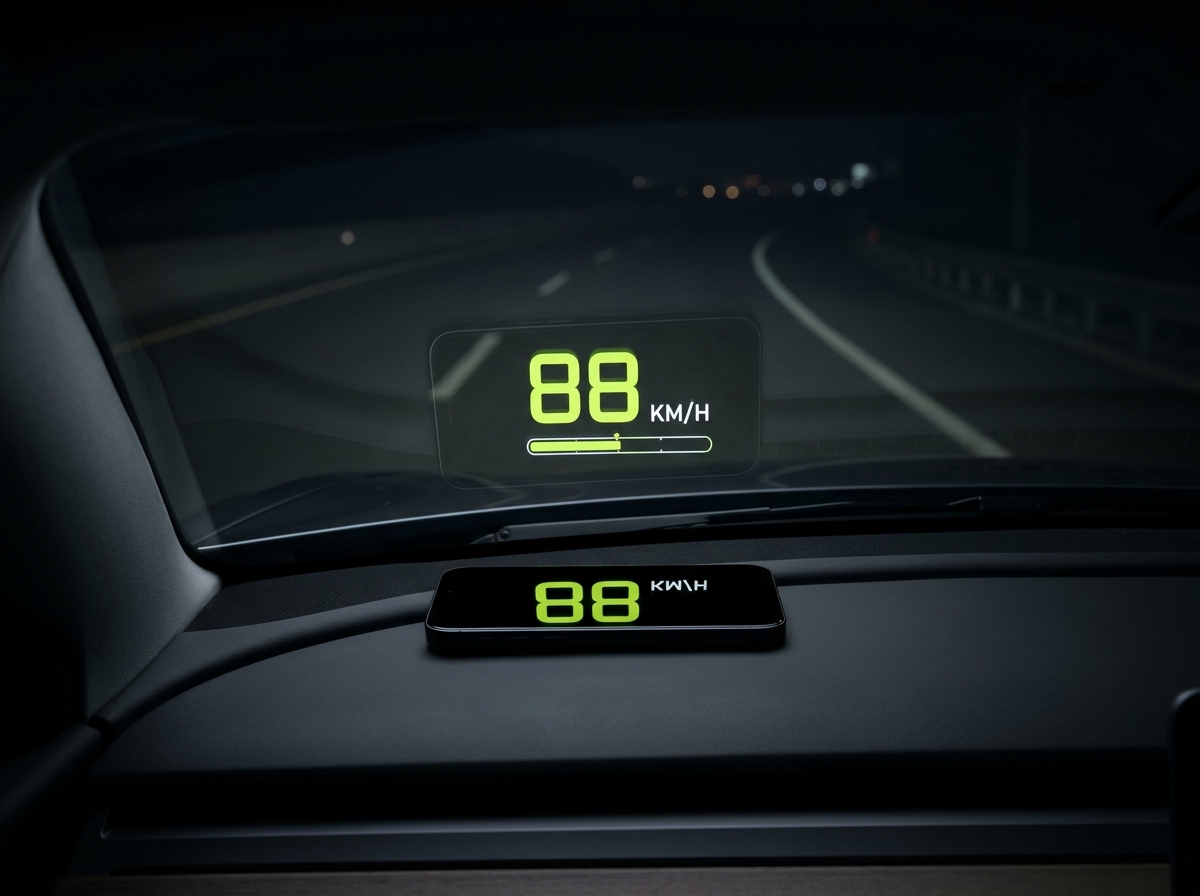
Switch to a mirrored pure-black dashboard in one tap to project speed and G-force onto your windshield, with optional max brightness and HDR boost.
BLE OBD-II & custom JS/JSX gauges
Connect compatible ELM327 BLE adapters for live RPM, coolant, and oil temperature. Build or import custom .instrument gauges in JavaScript and JSX.
Automatic trip replay & share cards
Records automatically in the background with Live Activity stop control. Revisit routes, timelines, and events locally—share trip cards or export GPX, KML, and GeoJSON.
Frequently asked questions
Does CapDrive require an OBD-II adapter or extra hardware?
No. Mount your iPhone securely in a car mount and allow Precise Location. CapDrive uses built-in GPS and motion sensors for live speed, G-force, heading, driving events, and 0–100 km/h timing. Optional ELM327 BLE OBD-II adapters are supported with CapDrive Plus.
How does Windshield HUD mode work?
Tap the display mode button to flip the dashboard vertically on a pure-black background and place your iPhone flat on the dashboard to reflect speed and G-force onto the windshield, with optional max brightness and HDR boost.
What is free, and what does CapDrive Plus unlock?
Core instrument cards, HUD mode, automatic trip recording, route replay, share cards, and GPX/KML/GeoJSON export are free. CapDrive Plus (monthly subscription or one-time Lifetime unlock) unlocks every instrument style, full replay details, BLE OBD-II telemetry, and custom JS/JSX instruments.
Does CapDrive require an account or upload my trips?
No manual account registration is required. Trips are processed and stored locally on your iPhone and are never uploaded automatically unless you explicitly choose to send a feedback report.
Which route formats and custom instruments are supported?
Saved trips export to standard GPX, KML, and GeoJSON files as well as stylized JPEG share cards. With Plus, you can write or import custom .instrument gauges using JavaScript and JSX.
Free to drive. Plus to go deeper.
Core instruments, HUD mode, automatic recording, route replay, share cards, and GPX/KML/GeoJSON export are free with no manual sign-up. CapDrive Plus unlocks every instrument style, full replay details, BLE OBD-II, and custom instruments.
Download on the App Store