 CapDrive
Sinta cada trajeto
Painel modular, HUD no para-brisa, telemetria OBD-II e replay automático para iPhone.
Baixar na App Store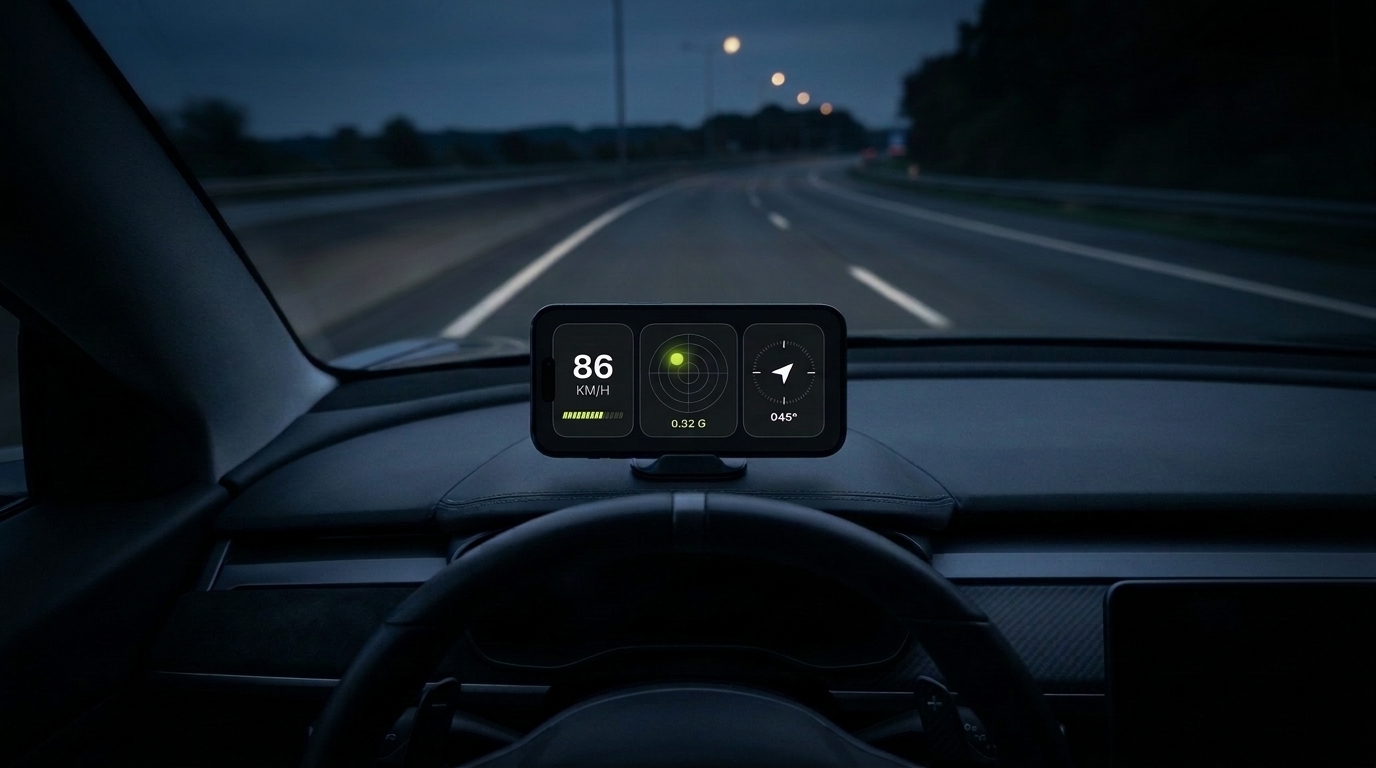
Painel modular de instrumentos
Combine até três cartões por página em retrato ou paisagem. Reconhece a orientação ao dirigir, sem botão de iniciar.
-
Velocidade digital
-
Arco de velocidade
-
Disco G
-
Barras G
-
Bússola
-
Eventos
-
Atitude
-
Altitude
-
Resumo
Eventos, 0–100 e pontuação
Detecta aceleração, frenagem, curvas, drift e arrancadas com pico G, tempos 0–100 / 100–200 km/h e nota de 0 a 100.
Modo HUD no para-brisa
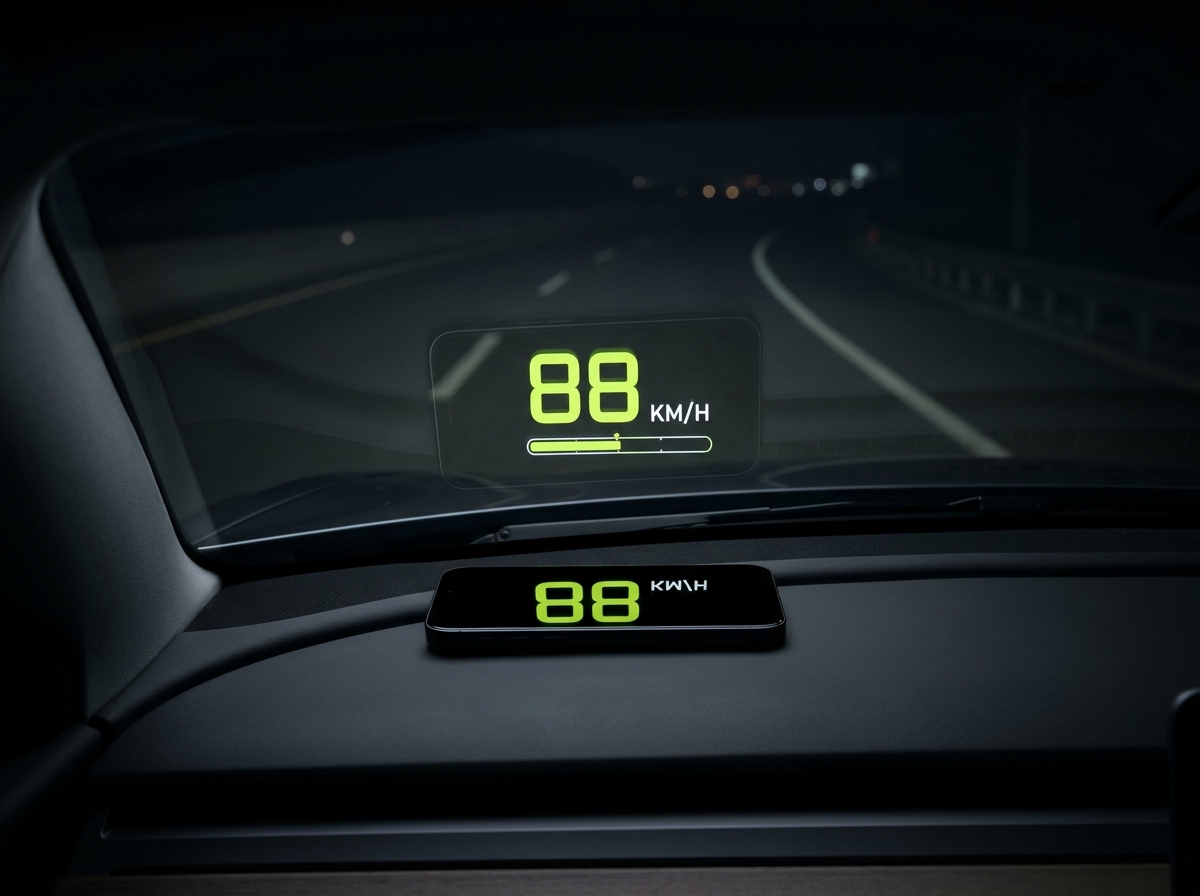
Espelhe o painel em fundo preto puro com um toque para refletir no para-brisa, com brilho máximo e reforço HDR opcionais.
OBD-II BLE e mostradores JS/JSX
Conecte adaptadores ELM327 BLE compatíveis para RPM, água e óleo. Crie ou importe arquivos .instrument em JavaScript e JSX.
Replay automático e cartões de viagem
Grava em segundo plano com parada rápida na Atividade ao Vivo. Revise rotas e eventos localmente, compartilhe cartões ou exporte GPX, KML e GeoJSON.
Perguntas frequentes
Does CapDrive require an OBD-II adapter or extra hardware?
No. Mount your iPhone securely in a car mount and allow Precise Location. CapDrive uses built-in GPS and motion sensors for live speed, G-force, heading, driving events, and 0–100 km/h timing. Optional ELM327 BLE OBD-II adapters are supported with CapDrive Plus.
How does Windshield HUD mode work?
Tap the display mode button to flip the dashboard vertically on a pure-black background and place your iPhone flat on the dashboard to reflect speed and G-force onto the windshield, with optional max brightness and HDR boost.
What is free, and what does CapDrive Plus unlock?
Core instrument cards, HUD mode, automatic trip recording, route replay, share cards, and GPX/KML/GeoJSON export are free. CapDrive Plus (monthly subscription or one-time Lifetime unlock) unlocks every instrument style, full replay details, BLE OBD-II telemetry, and custom JS/JSX instruments.
Does CapDrive require an account or upload my trips?
No manual account registration is required. Trips are processed and stored locally on your iPhone and are never uploaded automatically unless you explicitly choose to send a feedback report.
Which route formats and custom instruments are supported?
Saved trips export to standard GPX, KML, and GeoJSON files as well as stylized JPEG share cards. With Plus, you can write or import custom .instrument gauges using JavaScript and JSX.
Grátis para dirigir. Plus para ir além.
Instrumentos básicos, HUD, gravação automática, revisão de rota, cartões e exportação GPX/KML/GeoJSON grátis sem cadastro. O Plus libera todos os estilos, detalhes de replay, OBD-II e instrumentos próprios.
Baixar na App Store