 CapDrive
สัมผัสทุกการขับขี่
หน้าปัดขับขี่แบบโมดูลาร์ โหมด HUD ข้อมูล OBD-II และรีเพลย์ทริปอัตโนมัติสำหรับ iPhone
ดาวน์โหลดบน App Store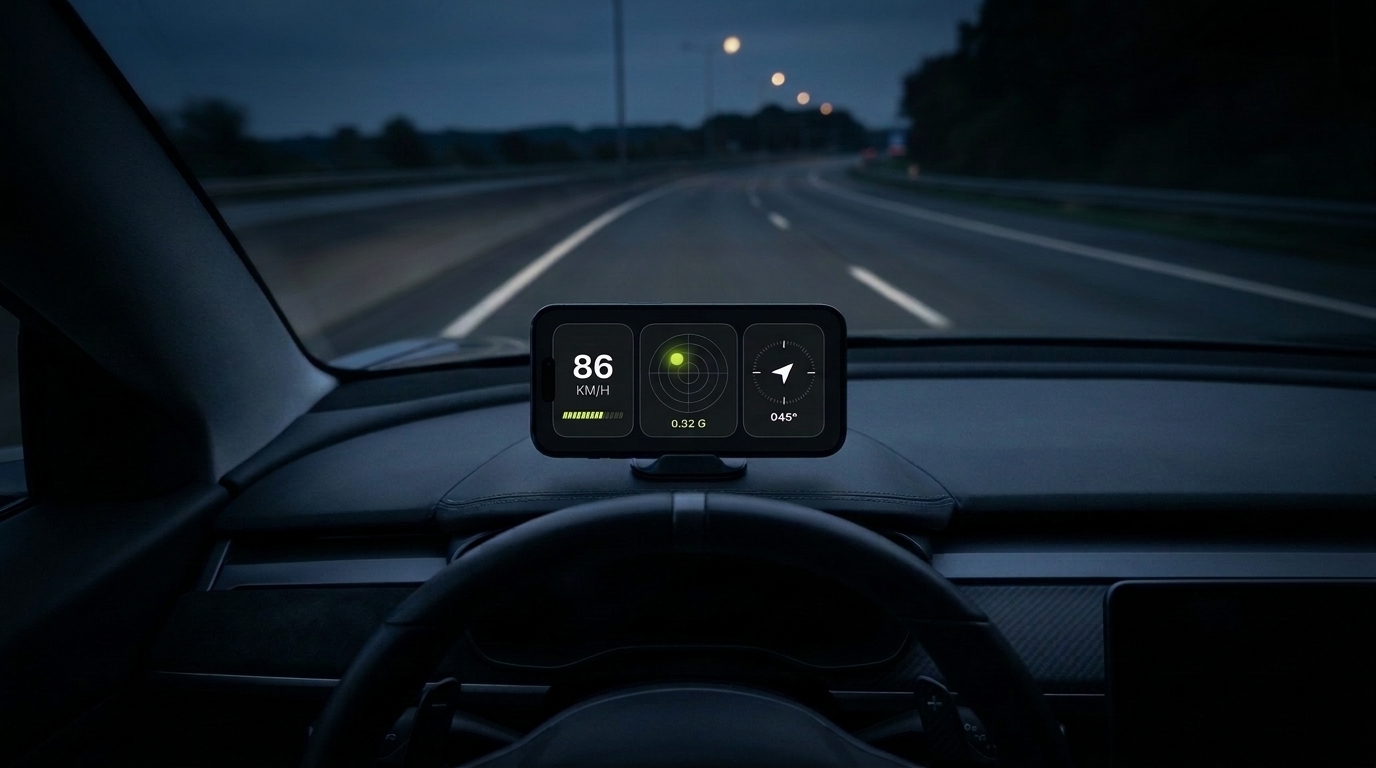
หน้าปัดแบบโมดูลาร์
จัดวางการ์ดได้สูงสุด 3 ใบต่อหน้าทั้งแนวตั้งและแนวนอน รู้จำทิศทางการติดตั้งอัตโนมัติขณะขับโดยไม่ต้องกดเริ่ม
-
ความเร็วตัวเลข
-
ความเร็วแบบโค้ง
-
จานแรง G
-
แถบแรง G
-
เข็มทิศหน้ารถ
-
เหตุการณ์ขับขี่
-
อาการตัวรถ
-
ระดับความสูง
-
สรุปทริป
ตรวจจับอาการรถ จับเวลา 0–100 และคะแนน
ตรวจจับการเร่ง เบรก เลี้ยว ดริฟต์ และออกตัวแรงอัตโนมัติ พร้อมค่า G สูงสุด จับเวลา 0–100 / 100–200 กม./ชม. และคะแนน 0–100
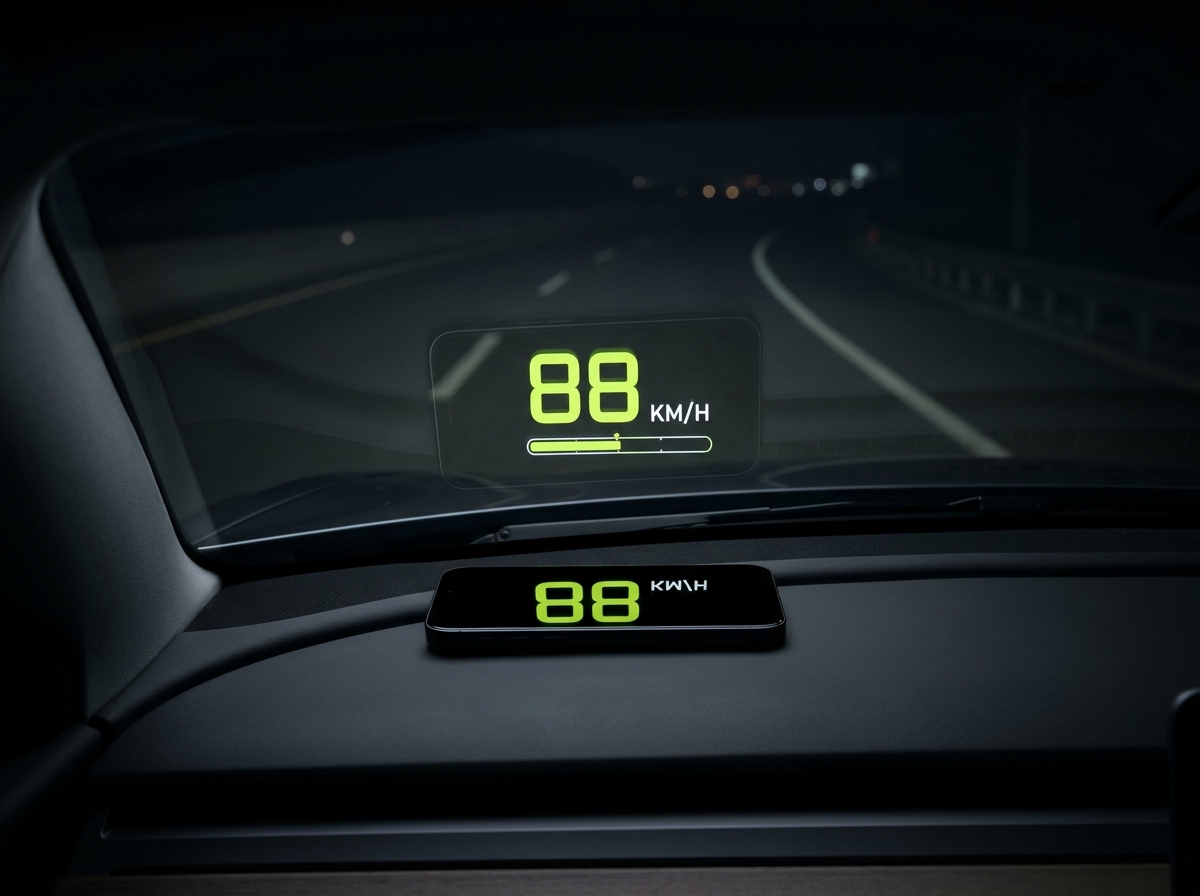
โหมดสะท้อนกระจกหน้า HUD
สลับเป็นหน้าปัดพื้นดำสนิทแบบกลับด้านได้ในแตะเดียวเพื่อสะท้อนบนกระจกหน้า พร้อมปรับสว่างสูงสุดและ HDR Boost
BLE OBD-II และมาตรวัด JS/JSX
เชื่อมต่อตัวรับ ELM327 BLE เพื่ออ่านรอบเครื่อง อุณหภูมิน้ำและน้ำมันเครื่อง พร้อมสร้างหรือนำเข้าไฟล์ .instrument ด้วย JavaScript และ JSX
รีเพลย์ทริปอัตโนมัติและการ์ดแชร์
บันทึกต่อเนื่องในพื้นหลังพร้อมหยุดด่วนบน Live Activity ย้อนดูเส้นทางและเหตุการณ์ในเครื่อง แชร์การ์ดหรือส่งออก GPX, KML และ GeoJSON
คำถามที่พบบ่อย
Does CapDrive require an OBD-II adapter or extra hardware?
No. Mount your iPhone securely in a car mount and allow Precise Location. CapDrive uses built-in GPS and motion sensors for live speed, G-force, heading, driving events, and 0–100 km/h timing. Optional ELM327 BLE OBD-II adapters are supported with CapDrive Plus.
How does Windshield HUD mode work?
Tap the display mode button to flip the dashboard vertically on a pure-black background and place your iPhone flat on the dashboard to reflect speed and G-force onto the windshield, with optional max brightness and HDR boost.
What is free, and what does CapDrive Plus unlock?
Core instrument cards, HUD mode, automatic trip recording, route replay, share cards, and GPX/KML/GeoJSON export are free. CapDrive Plus (monthly subscription or one-time Lifetime unlock) unlocks every instrument style, full replay details, BLE OBD-II telemetry, and custom JS/JSX instruments.
Does CapDrive require an account or upload my trips?
No manual account registration is required. Trips are processed and stored locally on your iPhone and are never uploaded automatically unless you explicitly choose to send a feedback report.
Which route formats and custom instruments are supported?
Saved trips export to standard GPX, KML, and GeoJSON files as well as stylized JPEG share cards. With Plus, you can write or import custom .instrument gauges using JavaScript and JSX.
เริ่มใช้ฟรี อัปเกรด Plus เพื่อจัดเต็ม
มาตรวัดพื้นฐาน HUD บันทึกอัตโนมัติ รีเพลย์เส้นทาง การ์ดแชร์ และส่งออก GPX/KML/GeoJSON ฟรีไม่ต้องสมัครบัญชี Plus ปลดล็อกทุกรูปแบบ รายละเอียดเต็ม OBD-II และมาตรวัดกำหนดเอง
ดาวน์โหลดบน App Store