 CapDrive
Spüre jede Fahrt
Modulares Cockpit, Windschutzscheiben-HUD, OBD-II-Telemetrie und automatisches Trip-Replay für iPhone.
Im App Store laden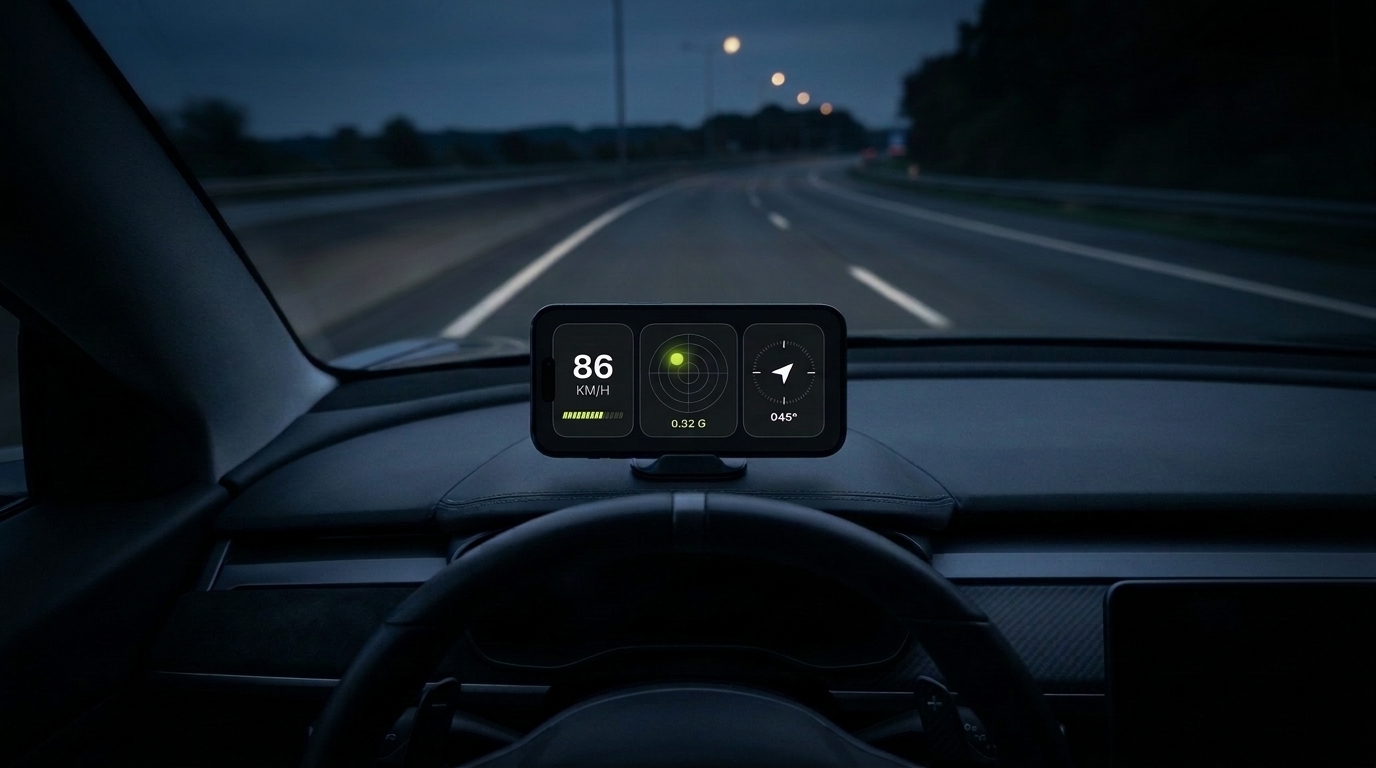
Modulares Instrumenten-Cockpit
Kombiniere bis zu drei Karten pro Seite im Hoch- oder Querformat. Erkennt die Ausrichtung beim Fahren automatisch – ganz ohne Start-Taste.
-
Digitales Tempo
-
Tempobogen
-
G-Kraft-Kreis
-
G-Kraft-Balken
-
Kompass
-
Fahrmanöver
-
Fahrzeuglage
-
Höhe
-
Fahrtübersicht
Manöver, 0–100-Messung & Score
Erkennt Beschleunigen, Bremsen, Kurven, Drift und Launch automatisch – mit Spitzen-G, 0–100 / 100–200 km/h Zeitmessung und 0–100 Score.
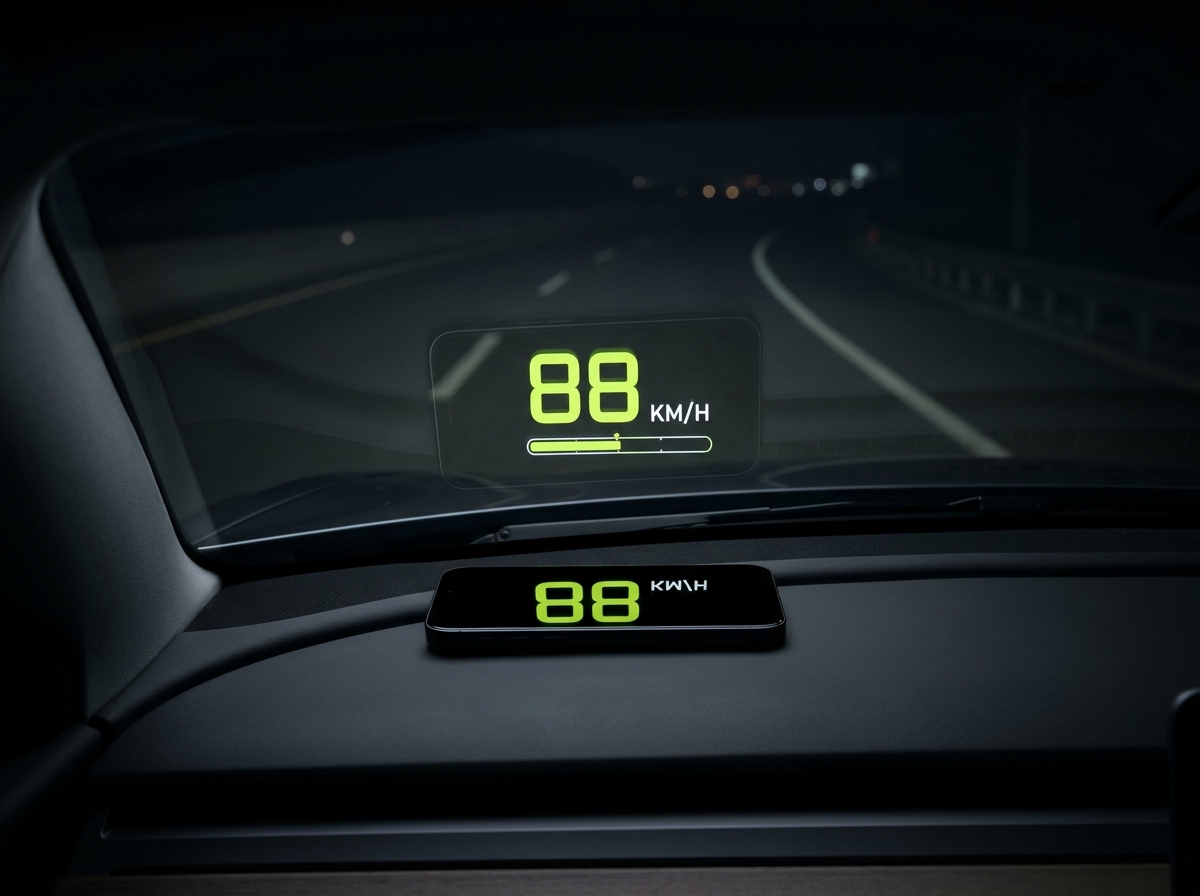
Windschutzscheiben-HUD
Spiegele das tiefschwarze Dashboard mit einem Tipp auf die Windschutzscheibe – inklusive maximaler Helligkeit und optionalem HDR-Boost.
BLE OBD-II & eigene JS/JSX-Instrumente
Verbinde kompatible ELM327-BLE-Adapter für Drehzahl, Kühlmittel- und Öltemperatur. Erstelle oder importiere eigene .instrument-Karten in JS/JSX.
Automatisches Replay & Share-Karten
Zeichnet im Hintergrund auf mit schnellem Stopp per Live-Aktivität. Prüfe Routen und Events lokal, teile Karten oder exportiere GPX, KML und GeoJSON.
Häufige Fragen
Does CapDrive require an OBD-II adapter or extra hardware?
No. Mount your iPhone securely in a car mount and allow Precise Location. CapDrive uses built-in GPS and motion sensors for live speed, G-force, heading, driving events, and 0–100 km/h timing. Optional ELM327 BLE OBD-II adapters are supported with CapDrive Plus.
How does Windshield HUD mode work?
Tap the display mode button to flip the dashboard vertically on a pure-black background and place your iPhone flat on the dashboard to reflect speed and G-force onto the windshield, with optional max brightness and HDR boost.
What is free, and what does CapDrive Plus unlock?
Core instrument cards, HUD mode, automatic trip recording, route replay, share cards, and GPX/KML/GeoJSON export are free. CapDrive Plus (monthly subscription or one-time Lifetime unlock) unlocks every instrument style, full replay details, BLE OBD-II telemetry, and custom JS/JSX instruments.
Does CapDrive require an account or upload my trips?
No manual account registration is required. Trips are processed and stored locally on your iPhone and are never uploaded automatically unless you explicitly choose to send a feedback report.
Which route formats and custom instruments are supported?
Saved trips export to standard GPX, KML, and GeoJSON files as well as stylized JPEG share cards. With Plus, you can write or import custom .instrument gauges using JavaScript and JSX.
Kostenlos fahren. Mit Plus tiefer gehen.
Basis-Instrumente, HUD, automatische Aufzeichnung, Routen-Replay, Share-Karten und GPX/KML/GeoJSON-Export sind ohne Konto kostenlos. Plus schaltet alle Stile, volle Replay-Details, OBD-II und eigene Instrumente frei.
Im App Store laden